
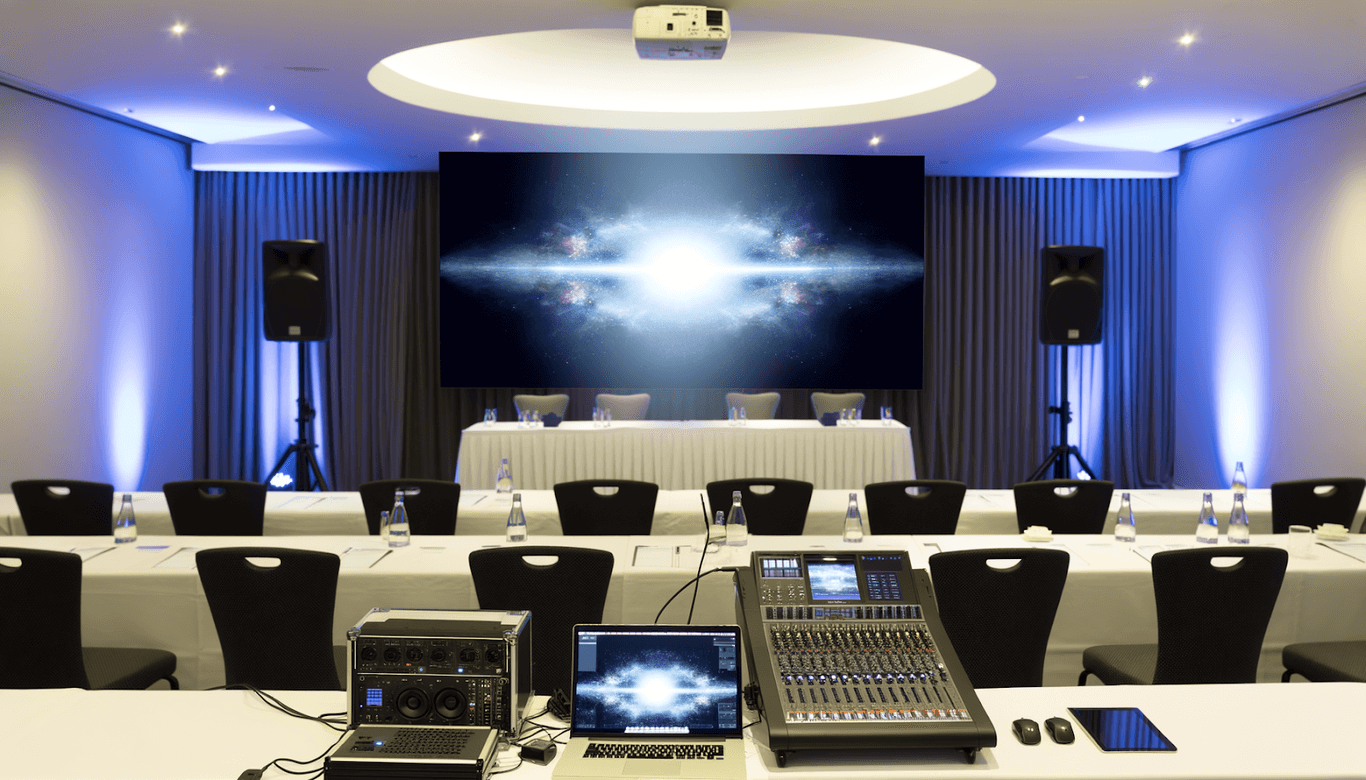
Hosting a conference in North West Victoria, whether an intimate seminar or a large-scale corporate event, is all about making the right impression. That means your attendees expect seamless presentations, crisp visuals, and clear sound, because that’s what defines the overall experience more than you might think.
The backbone of any successful conference lies in the conference equipment you choose. From microphones to display screens and lighting setups, the right gear can make the difference between a successful event and a technical nightmare.
Here’s how to plan confidently and choose the best conference equipment for your events.
1. Understand Your Event’s Scale and Purpose
Begin by defining the kind of event you’re running. A leadership summit for 300 people demands a very different setup from a small product launch or workshop. Determine:
- The number of attendees (in-person and virtual)
- The type of content (keynote talks, panel discussions, workshops, hybrid sessions)
- The venue layout (auditorium, function room, or outdoor marquee)
When you understand the event’s tone and purpose, it becomes easier to match your conference equipment to both the space and the experience you want to deliver. Think of this as your foundation. Get this step right, and every other choice becomes more straightforward.
2. Prioritise Audio Quality
Always prioritise audio quality because people remember what they hear. If the attendees can’t hear clearly, they’ll tune out, no matter how impressive your visuals are. In other words, you need to invest in an audio-visual equipment hire that prioritises crisp, balanced sound. This generally includes:
- Wireless handheld or lapel microphones
- PA systems tailored to room size and acoustics
- Sound mixers for multi-speaker events
Pro Tip: Always run a sound check before the event begins. A skilled sound technician can manage this for you, making sure your volume levels, mic placements, and feedback controls are spotless throughout.
3. Provide Visual Clarity with the Right Display Setup
Professional presentations rely on strong visuals. Depending on your event scale, you might need high-resolution LED walls, projectors, or multiple screens to make sure everyone sees the content clearly. When evaluating a conference equipment hire, look for:
- Brightness and resolution appropriate to room lighting
- Reliable connectors for different devices
- Backup display options in case of hardware failure
Pro Tip: Avoid assuming the venue’s built-in system is sufficient. Always confirm the specifications or test them in advance. Blurry slides and flickering projectors are every presenter’s worst nightmare.
4. Choose Lighting that Supports Focus and Atmosphere
Good lighting does far more than make the stage visible. It boosts mood, focus, and visibility for recordings or streaming. When selecting conference equipment for any event, consider:
- Adjustable lighting for different presentation styles
- Spotlights for speakers
- Soft fill lighting for audience comfort
- Ambient lighting for breaks or networking areas
A well-balanced lighting setup makes your event look professional both in person and on camera, which is especially crucial for hybrid or recorded conferences.
5. Plan for Hybrid or Virtual Participation
With 36% of employed people usually working from home in 2025, chances are, your conference will have many attendees, or even speakers, joining remotely. If you want to reach out to more people, you’ll need to be ready with a hybrid setup, which calls for working with an audio-visual equipment hire who can provide:
- High-quality cameras and streaming systems
- Reliable microphones with noise cancellation
- Integrated video conferencing software
Your chosen conference equipment hire should be equipped to manage hybrid needs smoothly. Ideally, look for someone who has handled hybrid or remote conferences for companies of your size before. They can let your audience participate from virtually anywhere.
6. Factor in Accessibility and Audience Comfort
Inclusivity and accessibility are not limited to just your workplace. All your meetings, conferences, and company events (whether hybrid, online, or in-person) must also consider these two factors. Unfortunately, they usually go unnoticed until they’re missing.
This means you’ll need to consider how your conference equipment setup supports everyone:
- Hearing loops for attendees who use hearing aids
- Visible captioning displays to accompany presentations
- Comfortable seating arrangements with unobstructed sightlines
- Adjustable lighting for those with sensory sensitivities
- Accessible entrances and pathways for wheelchair users
- Microphones and audio systems suitable for all speakers
When these elements are integrated into your plan, your event feels inclusive, accessible, and effortlessly professional.
7. Work with a Trusted Conference Equipment Hire
The difference between a stressful setup day and a relaxed one comes down to your supplier. Partner with a local, experienced conference equipment hire who understands local, state, and federal event regulations, venue requirements, and technical standards.
A good provider will help you with planning, setup, on-site monitoring, and post-event pack-down. That way, you can focus on the event itself instead of troubleshooting cables or adjusting sound levels.
When comparing providers, ask about conference equipment condition, technician availability, and emergency backup options. Reliability is everything when the spotlight’s on.
8. Finalise Your Equipment Checklist Early
To avoid last-minute chaos, lock in on the conference equipment for your event well before the date. The sooner you provide this list, the faster you can hire a team of experts. Every event will have a unique list, but yours might include:
- Sound systems
- Wired and/or wireless microphones
- Projectors or LED displays
- Lighting rigs
- Cameras and streaming tools
- Backup power
- Cables, adaptors, and connectors
Confirm delivery and setup times, and schedule a full test run. A professional conference equipment hire supports this process, ensuring all systems perform perfectly on the day.
Invest in Value, Not Just Hardware
Choosing the right conference equipment for your next event is more than just ticking boxes. Focus on high-quality visuals, flawless audio, and smooth delivery, all of which add credibility to your brand and comfort to your presenters and guests.
It’s worth remembering that the most successful conferences feel effortless to the audience because every detail, from lighting cues to mic transitions, has been carefully planned and professionally supported. Partner with a trusted audio-visual equipment hire like Audisound, plan early, and your event will speak volumes, literally.Call 30 5023 5855 or contact us through our website to plan audio-visuals for your next event.